Saturday, May 30, 2015

Kismet


Kismet Another common product for conducting wardriving attacks is Kismet (www. kismetwireless.net), written by Mike Kershaw. This product is free and runs on Linux, BSD UNIX, Mac OS X, and even Linux PDAs. The software is advertised as being more than just a wireless network detector. Kismet is also a sniffer and an intrusion detection system (IDS, covered in Chapter 13) and can sniff 802.11b, 802.11a, 802.11g, and 802.11n traffic. It offers the following features:
  •   Wireshark- and Tcpdump-compatible data logging -
      Compatible with AirSnort and AirCrack (covered later in -
    “Tools of the Trade”)11
Network IP range detection - 
  Detection of hidden network SSIDs -
  Graphical mapping of networks -
  Client/server architecture that allows multiple clients to view a-single Kismet server at the same time - 
  Manufacturer and model identification of APs and clients -
  
Detection of known default AP configurations -

    1. Unlike NetStumbler and iwScanner, which rely on an AP to send out a beacon, Kismet is a passive scanner, so it can detect even hidden network SSIDs. Kismet can be used to conduct wardriving, but it can also be used to detect rogue APs on a company’s network. If you need GPS support, the BackTrack DVD includes several tools that work with Kismet, such as the GPS daemon (GPSD), GISKismet, and Kisgearth, that can come in handy for accurate AP geopositioning. When Kismet is configured to use GPSD, the output displays coordinates pinpointing the location of the AP being scanned. This coordinate data can then be fed into Google Earth to create maps. 

Countermeasures for Wireless Network Hack Attacks

Countermeasures for Wireless Network Hack Attacks


Various malicious hacks — including DoS attacks — can be carried out against your WLAN. This includes forcing APs to reveal their SSIDs during the process of being disassociated from the network and rejoining. In addition, hackers can literally jam the RF signal of an AP — especially in 802.11b and 802.11g systems — and force the wireless clients to re-associate to a rogue AP masquerading as the victim AP.
Hackers can create man-in-the-middle attacks by maliciously using such tools as ESSID-jack and monkey-jack and can flood your network with thousands of packets per second by using the raw packet-generation tools Nping or NetScanTools Pro — enough to bring the network to its knees. Even more so than with wired networks, this type of DoS attack is very difficult to prevent on WLANs.
You can carry out several attacks against your WLAN. The associated countermeasures help protect your network from these vulnerabilities as well as from the malicious attacks previously mentioned. When testing your WLAN security, look out for the following weaknesses:
  • Unencrypted wireless traffic
  • Weak WEP and WPA pre-shared keys
  • Crackable Wi-Fi Protected Setup (WPS) PINs
  • Unauthorized APs
  • Easily circumvented MAC address controls
  • Wireless equipment that’s physically accessible
  • Default configuration settings
A good starting point for testing is to attempt to attach to your WLAN as an outsider and run a general vulnerability assessment tool, such as LanGuard or QualysGuard. This test enables you to see what others can see on your network, including information on the OS version, open ports on your AP, and even network shares on wireless clients.
image0.jpg

Thursday, May 28, 2015

Best Wireless / Wi-Fi Password Cracker & Sniffer Tool List


Wireless / Wi-Fi Password Cracker & Sniffer Tool :


http://blog.hcf.co.in/wp-content/uploads/sites/9/2013/11/nr11.png                       An internet connection has become a basic necessity in our modern lives. Wireless hot-spots (commonly known as Wi-Fi) can be found everywhere!

                      If you have a PC with a wireless network card, then you must have seen many networks around you. Sadly most of these networks are secured with a network security key.

                      Have you ever wanted to use one of these networks? You must have desperately wanted to check your mail when you shifted to your new house. The hardest time in your life is when your internet connection is down.

teps to Crack / Sniff Wi-Fi Password:

                           Cracking those Wi-Fi passwords is your answer to temporary internet access. This is a comprehensive guide which will teach even complete beginners how to crack WEP encrypted networks, easily.

Table of Contents

  1. How are Wireless networks secured?
  2. What you'll need
  3. Setting up CommView for Wi-Fi
  4. Selecting the target network and capturing packets
  5. Waiting...
  6. Now the interesting part... CRACKING!
  7. Are you a visual learner?

How Are Wireless Networks Secured?

                                       In a secured wireless connection, internet data is sent in the form of encrypted packets. These packets are encrypted with network security keys. If you somehow manage to get hold of the key for a particular wireless network you virtually have access to the wireless internet connection.

Broadly speaking there are two main types of encryptions used:

WEP (Wired Equivalent Privacy):
                                          This is the most basic form of encryption. This has become an unsafe option as it is vulnerable and can be cracked with relative ease. Although this is the case many people still use this encryption.

WPA (Wi-Fi Protected Access):
                                          This is the more secure alternative. Efficient cracking of the passphrase of such a network requires the use of a wordlist with the common passwords. In other words you use the old fashioned method of trial and error to gain access. Variations include WPA-2 which is the most secure encryption alternative till date. Although this can also be cracked using a wordlist if the password is common, this is virtually uncrackable with a strong password. That is, unless the WPA PIN is still enabled (as is the default on many routers).

                                          Hacking WEP passwords is relatively fast, so we'll focus on how to crack them for this guide. If the only networks around you use WPA passwords, you'll want to follow this guide on how to crack WPA WiFi passwords instead.

What You'll Need...

  • A compatible wireless adapter:
This is by far the biggest requirement.The wireless card of your computer has to be compatible with the software CommVIew. This ensures that the wireless card can go into monitor mode which is essential for capturing packets.Click here to check if your wireless card is compatible.
 

Wireless / Wi-Fi Password Cracker & Sniffer Tool List :

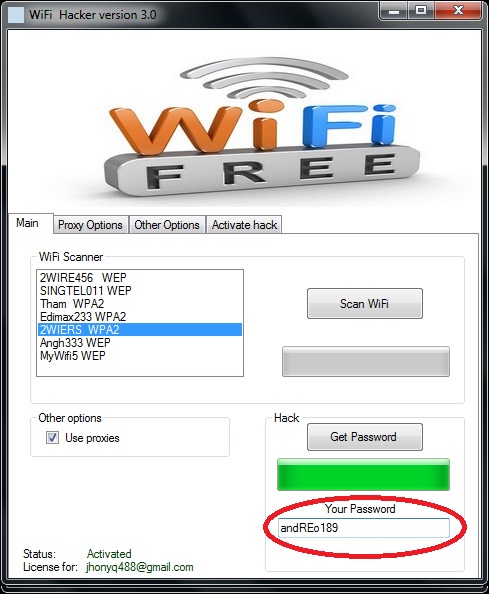
Wi Fi Hacker Version 3.0 :

                       Wifi Hacker is a prank app that simulates obtaining passwords and cracking routers. It does so using automated task that pretend to hack wireless networks. Pretending to be a hacker in front of your friends was never so fun!
It is free and easy to use.


Download Link : http://jlyse.net/?DCUA4KX

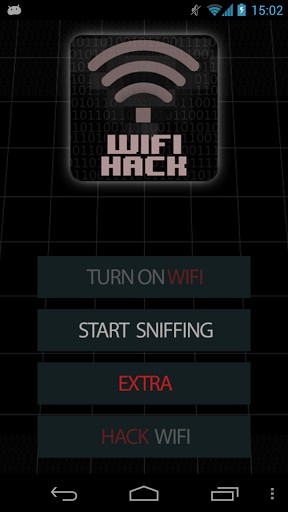
Mobile Version :


Download Link : https://play.google.com/store/apps/details?id=com.mitevi.wifihack&hl=en

WiFi Password Decryptor v 2.0 :
                       WiFi Password Decryptor V 2.0 Tool by Security Xploid Team.

                       WiFi Password Decryptor is the FREE software to instantly recover Wireless account passwords stored on your system.

                         It automatically recovers all type of Wireless Keys/Passwords (WEP/WPA/WPA2 etc) stored by Windows Wireless Configuration Manager.
For each recovered WiFi account, it displays following information
  • WiFi Name (SSID)
  • Security Settings (WEP-64/WEP-128/WPA2/AES/TKIP)
  • Password Type
  • Password in Hex format
  • Password in clear text
                       After the successful recovery you can save the password list to HTML/XML/TEXT file. You can also right click on any of the displayed account and quickly copy the password.

                          Under the hood, 'WiFi Password Decryptor' uses System Service method (instead of injecting into LSASS.exe) to decrypt the WiFi passwords. This makes it more safer and reliable. Also it makes us to have just single EXE to work on both 32-bit & 64-bit platforms.

                        It also supports command-line mode making it useful for automation & penetration testers.

                           It has been successfully tested on Windows Vista and higher operating systems including Windows 8.

Download_Link 

http://securityxploded.com/wifi-password-decryptor.php#WiFiPasswordDecryptor_Download

WiHack 2.4.6:
          
              is the first working program for hacking Wi-Fi. This project was developed as a special software to work with protected wireless networks. WiHack is an improved version of Wi-FI Pirate 3 which we have previously tried to crack.

The program is able to analyze wireless Wi Fi for the presence of insecurity, then it becomes possible to perform the main hacking features such as:

1)Get the Users List
2)Guess the network password (crack Wifi password)
3)Sniffing Users Mode (you are able to see every User's movement)
4)Block the User (program will disconnect user from the network, it's useful when somebody is donwloading something and because of that your internet start lagging)


Download Link : http://wihack.com/en/download.html


Hacking into network cameras


A small video of how to hack into networks cameras
We should apply this in our school
Enjoy !


Wireless Attacks and Countermeasures

Wireless Attacks and Countermeasures

Wireless communication poses formidable challenges for the security professional. Many wireless manufacturers design their devices for easy set up and use, often at the expense of sound security practices. Many wireless devices default to little or no security. A security professional must take extra precautions to protect sensitive data transmitted over wireless devices.
Two protocols that have been implemented to provide security for wireless communication are:
  • Wired Equivalent Privacy (WEP) implements the 802.11 specification for wireless network connections.
  • Wireless Application Protocol (WAP) is used with mobile devices such as PDA's and smart phones.
The following table describes weaknesses with both WEP and WAP:
Protocol Vulnerabilities
Wired Equivalent Privacy (WEP) WEP suffers from the following weaknesses:
  • The key is vulnerable during authentication.
  • The same WEP key is used for authentication and data encryption.
  • The WEP key is static. Because it doesn't change, it can be captured and broken.
  • Every host on the network uses the same key.
  • Key rotation is difficult.
  • WEP uses a very short initialization vector (IV) - a mechanism that allows a cipher to be executed in any of several streaming modes of operation to produce a unique cipher text using the same encryption key.
  • The integrity check value (ICV) is easily defeated.
  • Unless you specify data encryption, all frames are sent in plaintext.
  • The RC4 encryption cipher could be replaced by a stronger encryption cipher.
  • The Service Set Identifier is broadcast.
  • Authentication can be open, meaning that identity is not checked.
  • Most wireless stations can be configured using the network name ANY.
Wireless Application Protocol (WAP) The most significant weakness of WAP is referred to Gap in the WAP, a security gap between a WAP client (handset) and a LAN host. The Gap in the WAP attack:
  • Exploits the decryption of transmissions at a carrier midpoint.
  • Compromises the carrier before the data is re-encrypted.
  • Exposes plaintext data.
WAP deploys Wireless Transport Layer Security Protocol (WTLS) for authentication:
  • Class 1, Anonymous Authentication
  • Class 2, Server Authentication
  • Class 3, Two-Way Client and Server Authentication 
 
Wireless networks are vulnerable to the following specific security attacks:
Vulnerability Description
Eavesdropping Eavesdropping is the most common threat of a wireless network. Wireless transmissions can be easily intercepted.
Site surveys or war driving Site surveys or war driving are attempts by a hacker to scan the wireless networking area looking for unsecured access points or weak passwords.
Rogue access points or Man-in-the-middle Rogue access points or man-in-the-middle attacks occur when an attacker installs an unauthorized access point into your wireless network, allowing them to connect to the network.
Replay attack In a replay attack, an attacker intercepts and records messages. The captured traffic is used at another time to try and recreate authentication. WEP, with its short initialization vector and static keys is susceptible to replay attacks.

Countermeasures for wireless communications are:
  • First and foremost, treat a wireless network as though it were a publicly accessible network. Don't assume that the traffic on that network is private and secure.
  • Put the access points in separate virtual LANs and implement some type of intrusion detection to help identify when an attacker is attempting to set up a rogue access point or is using a brute force attack to gain access.
  • Encrypt all data transmitted through your access point.
  • Set the access point to accept only Media Access Control (MAC) addresses.
  • Use firewalls on each network access point.
  • Avoid storing sensitive data on wireless machines whenever possible. Encrypt sensitive data that must be stored on the machine.
  • Install security updates as soon as they are available.
  • Install antivirus software on the wireless computer.
  • Require that users connect to the wireless access point with a network cable when sending sensitive data.
  • Disable the broadcasting of the SSID from all access points.
  • Implement EAP-TLS to use different keys for encryption and broadcast traffic.
  • Set the WEP broadcast traffic key to be renegotiated at a certain interval.
  • Set up a RADIUS server and a certificate authority. The RADIUS server authenticates the user back against your network directory service.

Countermeasures for Wireless Attacks


Wireless communication poses formidable challenges for the security professional. Many wireless manufacturers design their devices for easy set up and use, often at the expense of sound security practices. Many wireless devices default to little or no security. A security professional must take extra precautions to protect sensitive data transmitted over wireless devices.
Two protocols that have been implemented to provide security for wireless communication are:
  • Wired Equivalent Privacy (WEP) implements the 802.11 specification for wireless network connections.
  • Wireless Application Protocol (WAP) is used with mobile devices such as PDA's and smart phones.
Countermeasures for wireless communications are:
  • First and foremost, treat a wireless network as though it were a publicly accessible network. Don't assume that the traffic on that network is private and secure.
  • Put the access points in separate virtual LANs and implement some type of intrusion detection to help identify when an attacker is attempting to set up a rogue access point or is using a brute force attack to gain access.
  • Encrypt all data transmitted through your access point.
  • Set the access point to accept only Media Access Control (MAC) addresses.
  • Use firewalls on each network access point.
  • Avoid storing sensitive data on wireless machines whenever possible. Encrypt sensitive data that must be stored on the machine.
  • Install security updates as soon as they are available.
  • Install antivirus software on the wireless computer.
  • Require that users connect to the wireless access point with a network cable when sending sensitive data.
  • Disable the broadcasting of the SSID from all access points.
  • Implement EAP-TLS to use different keys for encryption and broadcast traffic.
  • Set the WEP broadcast traffic key to be renegotiated at a certain interval.
  • Set up a RADIUS server and a certificate authority. The RADIUS server authenticates the user back against your network directory service. 

Wardriving


Wardriving is the act of searching for Wi-Fi wireless networks by a person in a moving vehicle, using a portable computer, smartphone or personal digital assistant (PDA).
Software for wardriving is freely available on the Internet, notably NetStumbler, InSSIDer, Vistumbler for Windows; Kismet or SWScanner for Linux, FreeBSD, NetBSD, OpenBSD,DragonFly BSD, and Solaris; and KisMac for Macintosh. There are also homebrew wardriving applications for handheld game consoles that support Wi-fi, such as sniff jazzbox/wardive for the Nintendo DS/Android, Road Dog for the Sony PSP, WiFi-Where for the iPhone, G-MoN, Wardrive, Wigle Wifi for Android, and WlanPollution for Symbian NokiaS60 devices. There also exists a mode within Metal Gear Solid: Portable Ops for the Sony PSP (wherein the player is able to find new comrades by searching for wireless access points) which can be used to wardrive. Treasure World for the DS is a commercial game in which gameplay wholly revolves around wardriving.